Quizzes give you the opportunity to interact with your employees in a fun way and thus increase activity in the WLP app. They are also a great way to impart knowledge on specific health topics.
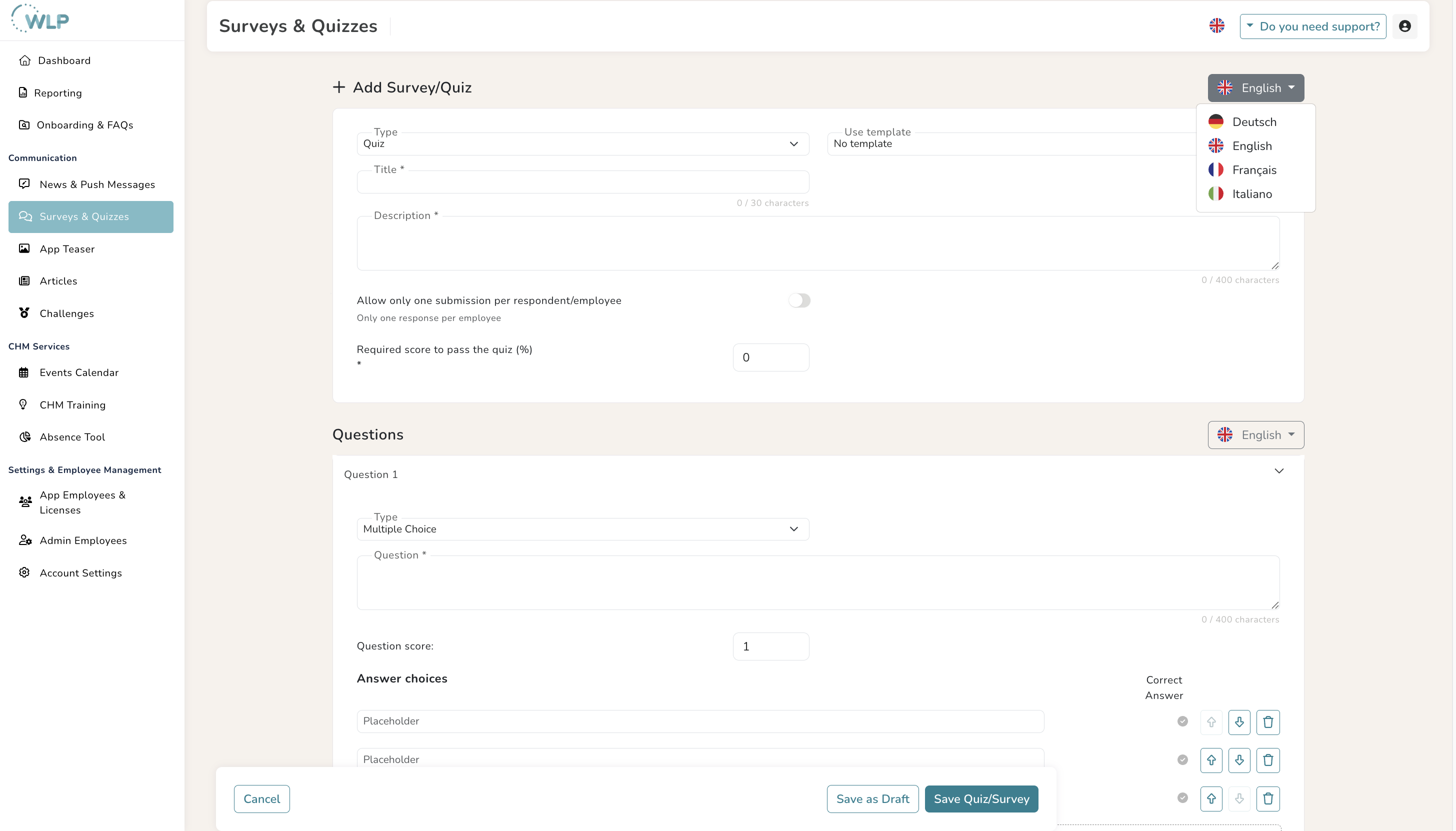
You can find the ‘Surveys & Quizzes’ section under ‘Communication’ in the left-hand menu. To create a quiz, follow these steps:
- Click on “Add quiz/survey” and select the “Quiz” type in the top left corner.
- If you want to use one of the existing templates, simply select it. Templates are divided into templates you have created yourself (“My templates”) and templates created by TK (“TK templates”). All fields from a selected template are transferred to the new quiz and can then be edited. Otherwise, you can easily create your own quiz by setting the “Use template” field to “No template.”
- Now define a title and description.
- To determine when a quiz is considered successfully passed, enter the percentage of correct answers required to pass the quiz.
- If you want to ensure that the quiz can only be taken once per user, activate the "Allow only one submission per respondent/employee” switch and enter 1 in the field that appears.
Was this article helpful?
That’s Great!
Thank you for your feedback
Sorry! We couldn't be helpful
Thank you for your feedback
Feedback sent
We appreciate your effort and will try to fix the article