If you want to provide your employees with permanent information in the WLP app, you have the option of writing articles. In articles, you can publish longer texts, enriched with images and videos if desired.
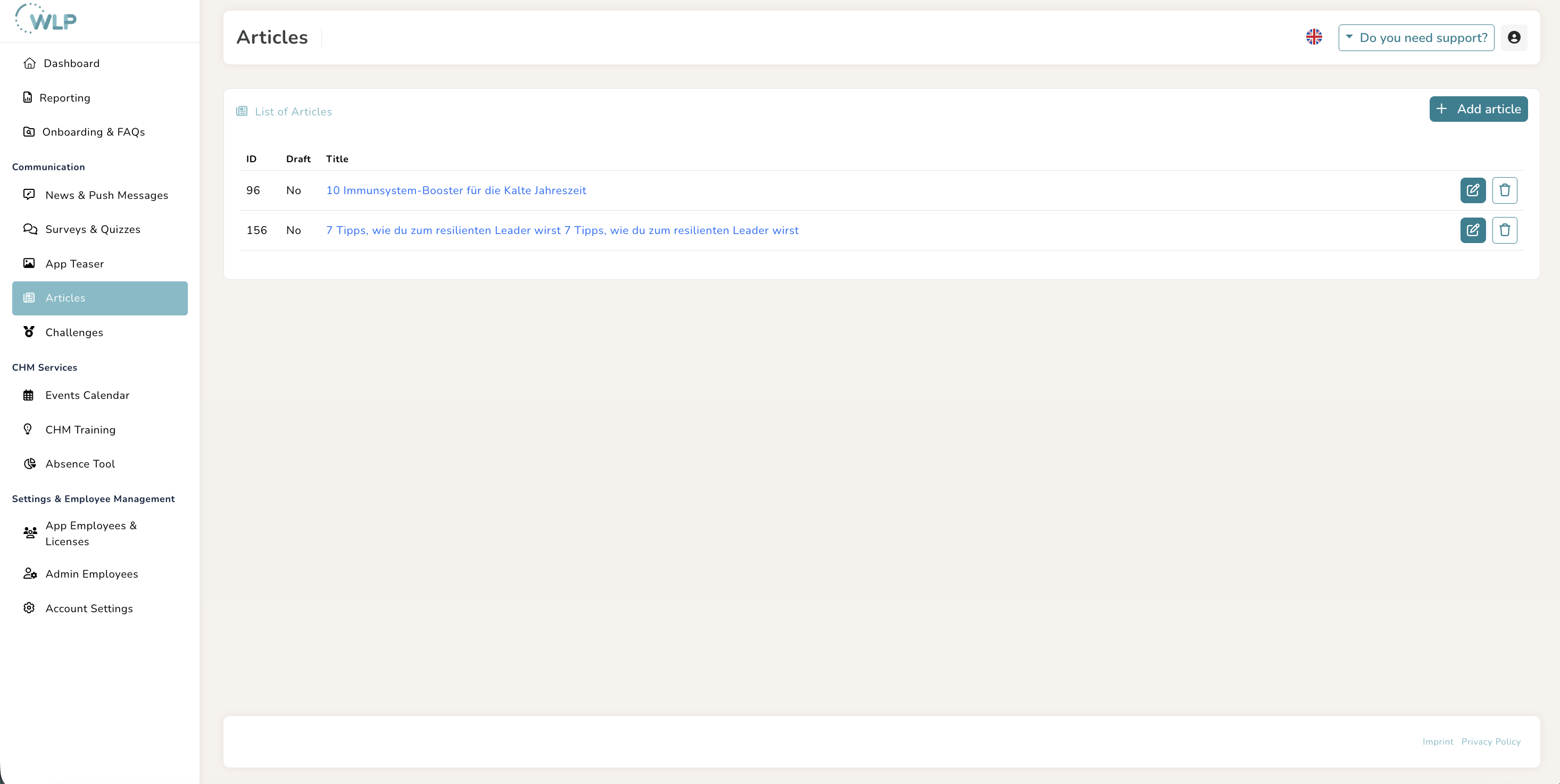
To create articles, click on “Articles” in the ‘Communication’ section and then on “Add article”:
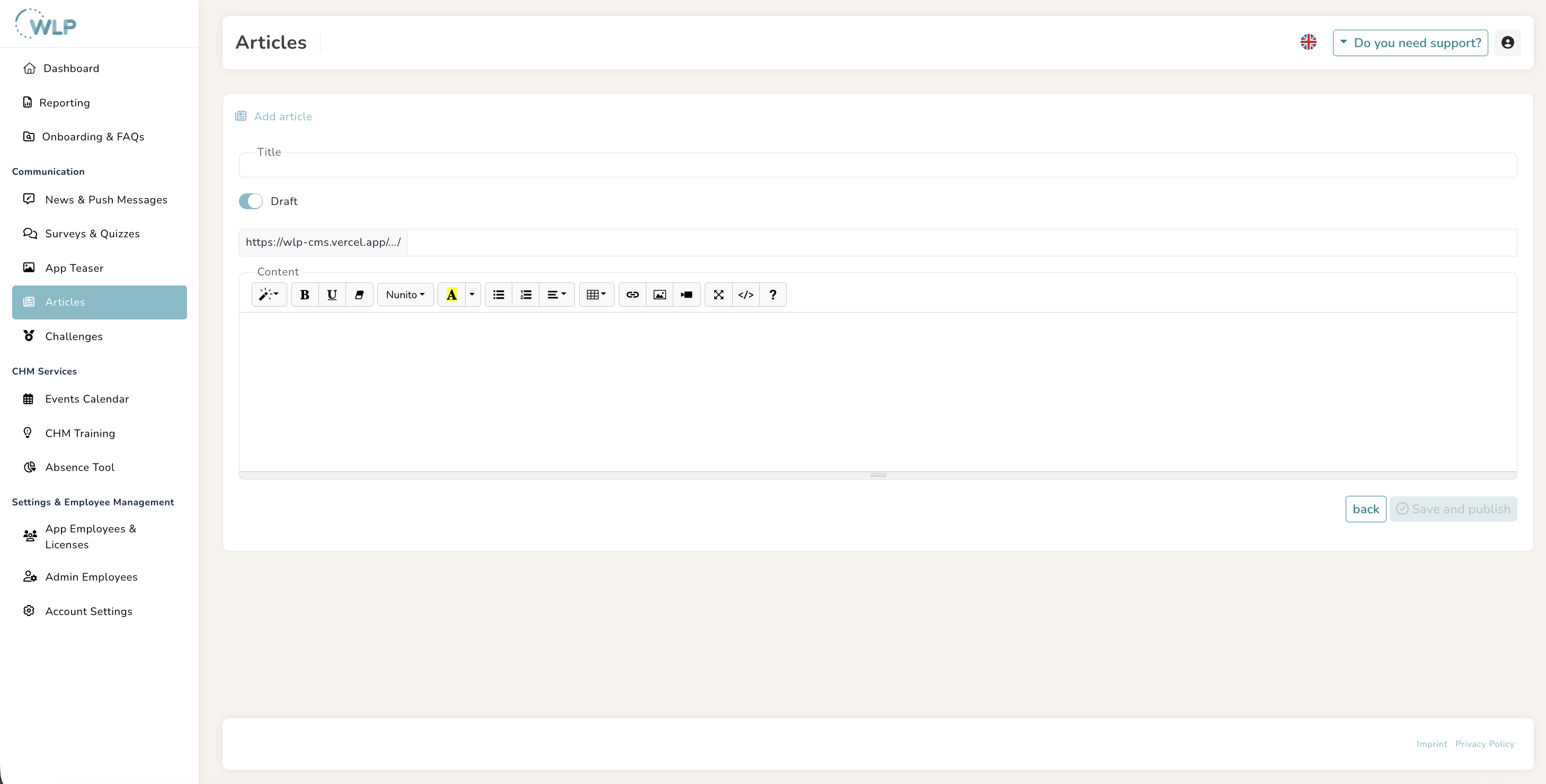
- Give your article an appealing title.
- Add the WLP internal URL of the article to your desired ending, please write out umlauts in full.
- You can now enter the content of the article in the large text field below the URL. Various formatting options are available for this purpose. You can also add images and videos to your article to make it more appealing.
- Now click on “Save.”
Note:
- Once you have published your article, the title will be converted into a link in the overview. You can open this link by clicking on it and copy the URL so that you can link to it later from a teaser or news item (LINK). Please note: Without a link, your article cannot be found in the WLP app — so you always need a news item or teaser that links to it in order to make it accessible.
Tips for you:
It is best to leave the “Draft” switch active while you are editing your article.
Inspiration for your articles
An article is a great way to provide further information on the topic of health.
Here are three example topics for an exciting article that you can use for inspiration:
- “For you and your health: The WLP app” (An article about the WLP app with a video message from management)
- “10 immune system boosters for the cold season” (An article with practical tips)
- “Gratitude: Why it is crucial for our mental health and how we can cultivate it in the office” (An article with exciting health knowledge)
Survey results and the use of the WLP app can also provide you with valuable insights into which health topics are currently of particular interest to your colleagues and are suitable for an article.
Was this article helpful?
That’s Great!
Thank you for your feedback
Sorry! We couldn't be helpful
Thank you for your feedback
Feedback sent
We appreciate your effort and will try to fix the article