If your event only allows a certain number of participants or you would like to get an overview of the participants, you have the option of creating an event with registration.
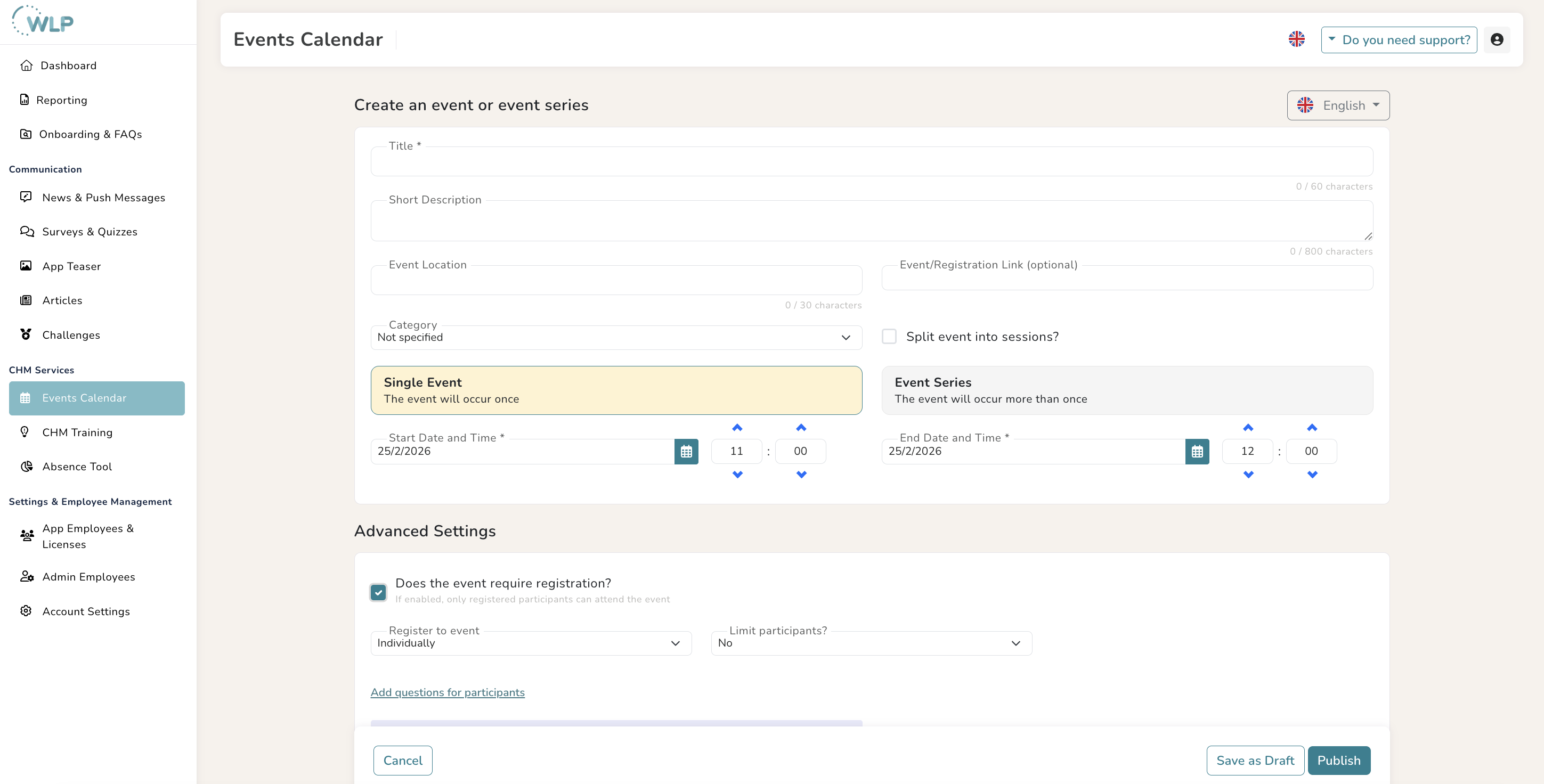
To create an event with registration in the calendar, click on “Event Calendar” in the menu on the left under “CHM Services” Then click on the “Add Event” button on the right. Now follow the steps in “Create an Event”.
Now check the box “Does the event require registration?” in the advanced settings. If desired, you can now limit the number of participants for your event.
You can view the list of participants after the event has been published. To do this, click on “Show event participants” in the top right corner of the event. A pop-up window will open showing the participants.
Note:
Once you have published your event, you can view it in the event calendar and edit it with a click. Please note: You cannot edit an event that has already started or has registrations.
Tips for you:
Don't want to publish your event right away? Then click on “Save as draft” to continue editing later.
Was this article helpful?
That’s Great!
Thank you for your feedback
Sorry! We couldn't be helpful
Thank you for your feedback
Feedback sent
We appreciate your effort and will try to fix the article