With the help of app teasers, you can place news about your company prominently on the WLP app's home page. This will also attract the attention of your employees.
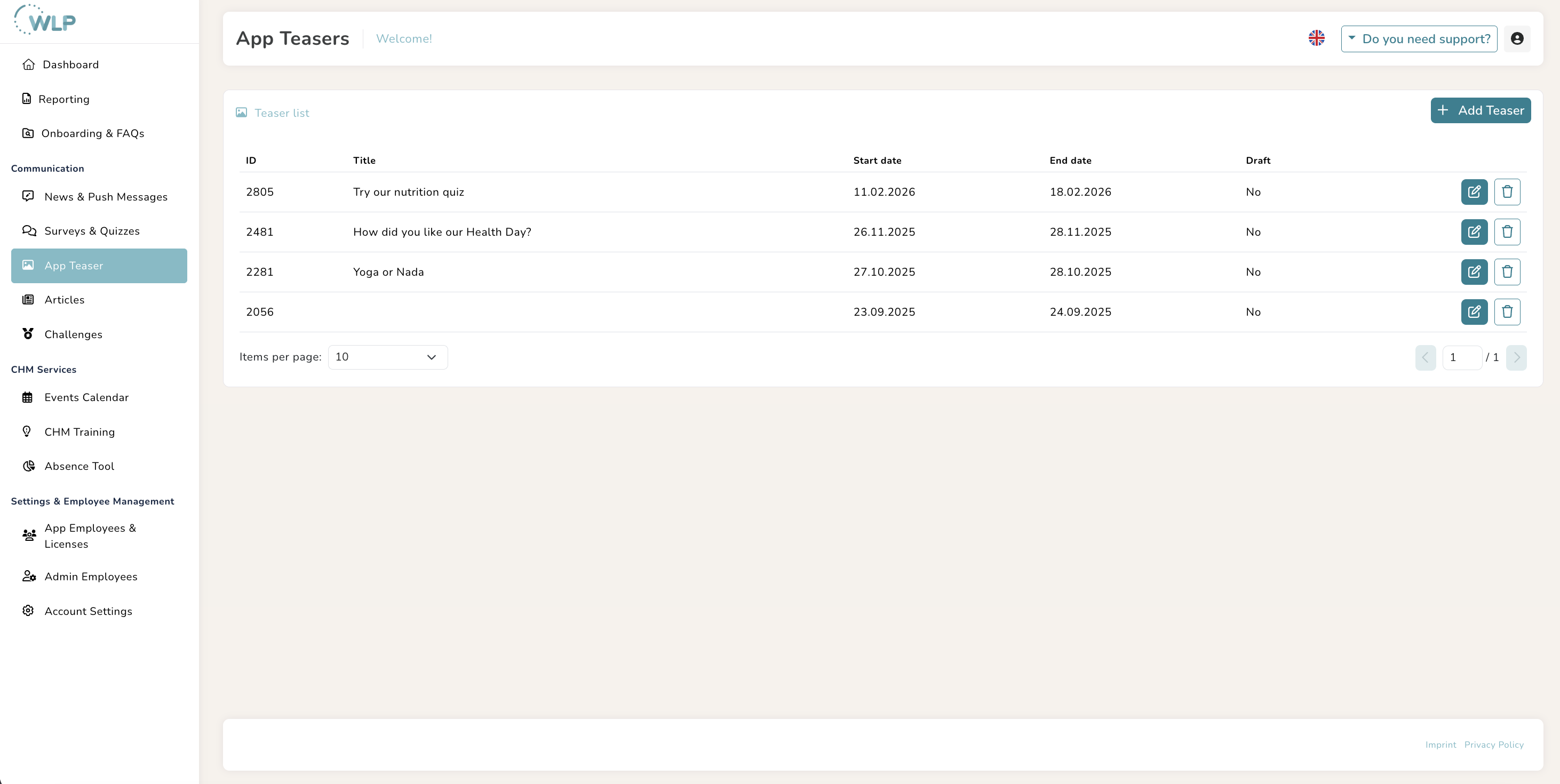
To create such a teaser, click on “App Teaser” in the “Communication” area:
- Click on the “Add Teaser” button here.
- Enter a start and end date for your teaser.
- Further down, you can specify the destination to which your teaser should link.
- Now you can enter a title and description.
- Upload an image for your teaser. The teaser measures 818x520px. You can also crop your image after uploading it, if necessary.
- Now you can save the teaser.
Note:
- The order of the teasers is always based on the creation date. The most recently created teaser is therefore always at the top of the carousel in the WLP app. In addition to your company-specific teasers, global teasers for challenges or missions for all WLP app users are also displayed here.
- To ensure that your teaser is displayed correctly in the WLP app, please observe the following character limits:
- Title: 77 characters including spaces
- Description: max. 200 characters including spaces
Tips for you:
Don't want to publish your app teaser right away? Then activate the “Draft” switch to continue editing later.
The perfect teaser image
Teasers are also a great place in the WLP app for special greetings to your employees — for example, for seasonal holidays. Here are a few examples and image templates you can use for your communication:
You can also use these two templates to communicate survey results and challenges:
First, download the template to your computer. There, you can customize it if needed and then save each slide as a .jpg file. Alternatively, you can download the template directly as an image. Both options are available via "File" > "Save As". Your image will then already have the correct dimensions.
Was this article helpful?
That’s Great!
Thank you for your feedback
Sorry! We couldn't be helpful
Thank you for your feedback
Feedback sent
We appreciate your effort and will try to fix the article