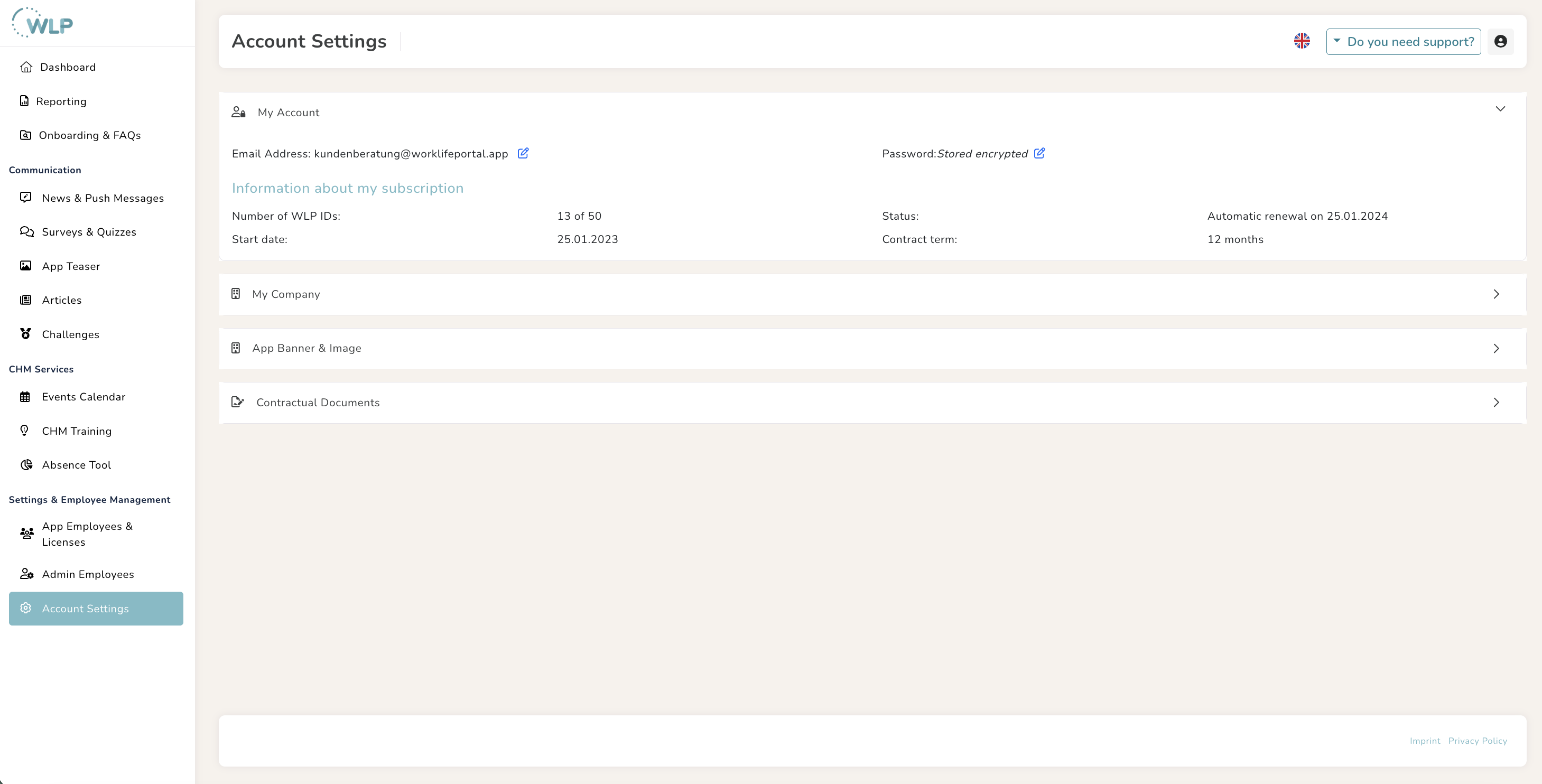
You can manage all important information about your contract and company in the “Account Settings” section.
My Account
Under “My Account,” you can get a quick overview of the main contact person in your company and your contract details. If you want to change the email address and password of the main contact person, you can do so using the small blue pencil icon.
My Company
In the “Company logo for your WLP ID landing page” and “Company logo for your news and teasers” sections, you can upload an image or your logo for your landing page and for push notifications sent by you. This gives the registration process a corporate feel and makes it clear to your employees that push notifications are internal company messages.
App banner & image
To do this, upload your logo in this section, enter a title and subtitle, and enter an external URL to which your banner should link.
Tip for you:
Is your image too large? You can easily scale it without losing quality using the tool on the internet.
Note:
Please only upload files in JPEG format that are no larger than 1MB.
Contractual documents
You can find a quick overview of your contract documents in the “Contractual documents” section. Click on the button on the right-hand side to conveniently download the relevant document.
Was this article helpful?
That’s Great!
Thank you for your feedback
Sorry! We couldn't be helpful
Thank you for your feedback
Feedback sent
We appreciate your effort and will try to fix the article